
Local travel guide
Offline Maps and Digital Travel Folder Setup for Cancún
Prepare a phone to work when mobile data is weak, unavailable or expensive. Download map areas, save exact pins, organize documents and test offline access before travel.
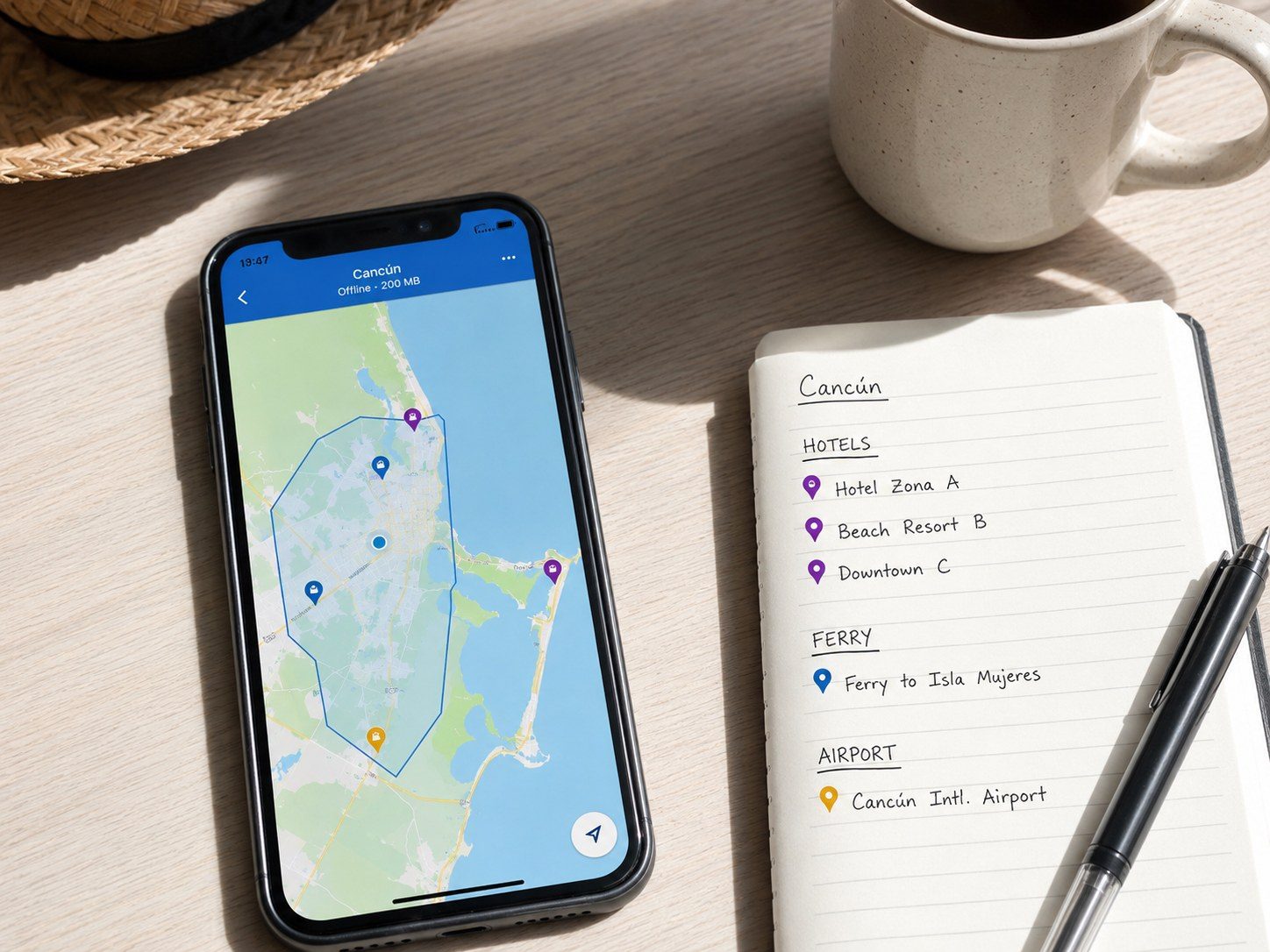
Download a useful map area
Include the airport, accommodation, downtown Cancún, Hotel Zone, Puerto Juárez and any regional route in the same or overlapping downloads.
Google Maps allows users to select an area for offline use. Google notes that the entire route must be within the offline map and that live traffic, alternate routes and some transport modes are unavailable offline.
Set up Apple Maps when appropriate
Apple supports downloadable maps on compatible iPhones in available regions. Downloaded maps can include directions and place information, but features vary.
Do not assume a feature is available. Download the actual Cancún area and test it before relying on it.
Save exact pins
Create pins for:
- Hotel entrance
- Airport pickup meeting point
- Ferry terminal and correct pier
- Bus station entrance
- Rental-car office
- Hospital or clinic selected by the insurance plan
- Tour meeting point
- Parking return location
- Emergency meeting point
Add a short label describing the door, side of the street or landmark.
Create a five-folder system
Use:
- Documents
- Transportation
- Lodging
- Activities
- Emergency
Use filenames that begin with the date and purpose, such as `2026-08-04_Ferry_Return.pdf`.

Protect sensitive documents
Government travel guidance recommends making multiple copies of important travel documents and keeping them separate from the originals.
Protect digital copies with device security or encryption. Do not place a passport image, card image and security code together in an ordinary photo album or shared link.
Make reservations readable offline
Save a PDF or screenshot that includes:
- Traveler name
- Date
- Confirmation number
- Meeting time
- Meeting point
- Contact method
- Cancellation terms
- Amount paid and balance due
A calendar event containing only a web link is not enough.
Build a paper fallback
Carry a small card with:
- Hotel name and address
- Emergency contact
- Insurance phone number
- Essential medical information
- One transportation contact
- Group meeting instruction
Do not place more sensitive information on the card than necessary.
Test in airplane mode
Turn on airplane mode and disable Wi-Fi. Open each map, confirmation, document and contact.
Test the full path from the home screen. A file is not truly offline if it opens only from an email or cloud app that has not cached it.
Update and share
Update maps shortly before travel. Share non-sensitive daily plans with companions and a trusted person at home.
Avoid sending passport or insurance documents into a large group chat unless every participant needs access and the platform is appropriate.
Accidental Gringo tip
Save the exact entrance, pickup door, pier, parking area or meeting point—not only the name of the hotel, attraction or terminal.
Practical details
- Location: Cancún, Isla Mujeres ferry routes, Riviera Maya and regional Yucatán day trips.
- Cost and pricing: Offline-map features are generally built into supported mapping apps, but storage, device and feature availability vary.
- Timing: Download and test maps at least 48 hours before departure, then update them again shortly before travel.
- Transportation: Store screenshots of pickup instructions and return schedules because offline driving maps may not include live traffic or transit information.
- Accessibility: Save accessible entrances, restroom locations, elevator information and written assistance confirmations as separate pins and screenshots.
- Family fit: Share the daily meeting point and hotel card with every responsible traveler, not only the person holding the main reservation.
- What to bring: Charged phone, power bank, offline maps, exact pins, encrypted documents, paper emergency card and a second access method.
- Google Maps: https://www.google.com/maps/search/?api=1&query=Cancun+Quintana+Roo+Mexico
Common mistakes
- Downloading a small city area that does not include the airport, hotel and day-trip route.
- Saving only a business name when the meeting point is a different entrance or dock.
- Creating document copies that still require a password manager, email login or live connection that has not been tested.
Frequently asked questions
Does Google Maps work offline in Cancún?
Downloaded areas can support offline driving navigation when the full route is inside the saved area. Google notes that offline transit, cycling and walking functions may be limited.
Can Apple Maps be downloaded for offline use?
Supported iPhones can download map areas, but availability and features vary by country, region and operating-system version.
Is a screenshot enough for transportation?
A screenshot is useful for a pickup point or schedule, but an offline map provides context. Use both for time-sensitive transportation.
Verification notes
Last reviewed: July 14, 2026
This article separates stable planning guidance from details that can change. Recheck all current prices, schedules, provider terms, app features, entry rules, alerts and operating information shortly before publication and travel.
Official and primary sources:
- https://support.google.com/maps/answer/6291838?co=GENIE.Platform%3DAndroid&hl=en
- https://support.google.com/maps/answer/6291838?co=GENIE.Platform%3DiOS&hl=en
- https://support.apple.com/en-il/guide/iphone/iphcfb5f5bc6/ios
- https://travel.state.gov/en/international-travel/planning/checklist.html
Needs Review before future publication updates: Current app steps, operating-system requirements, regional feature availability, saved-place accuracy and transportation meeting points.