
Local travel guide
Cancún Airport Terminal Guide: Terminals 2, 3 and 4
Understand Cancún Airport’s separate terminal buildings, how to check the terminal for an exact flight and what to confirm for arrivals, departures, transportation pickup, ADO buses and terminal changes.
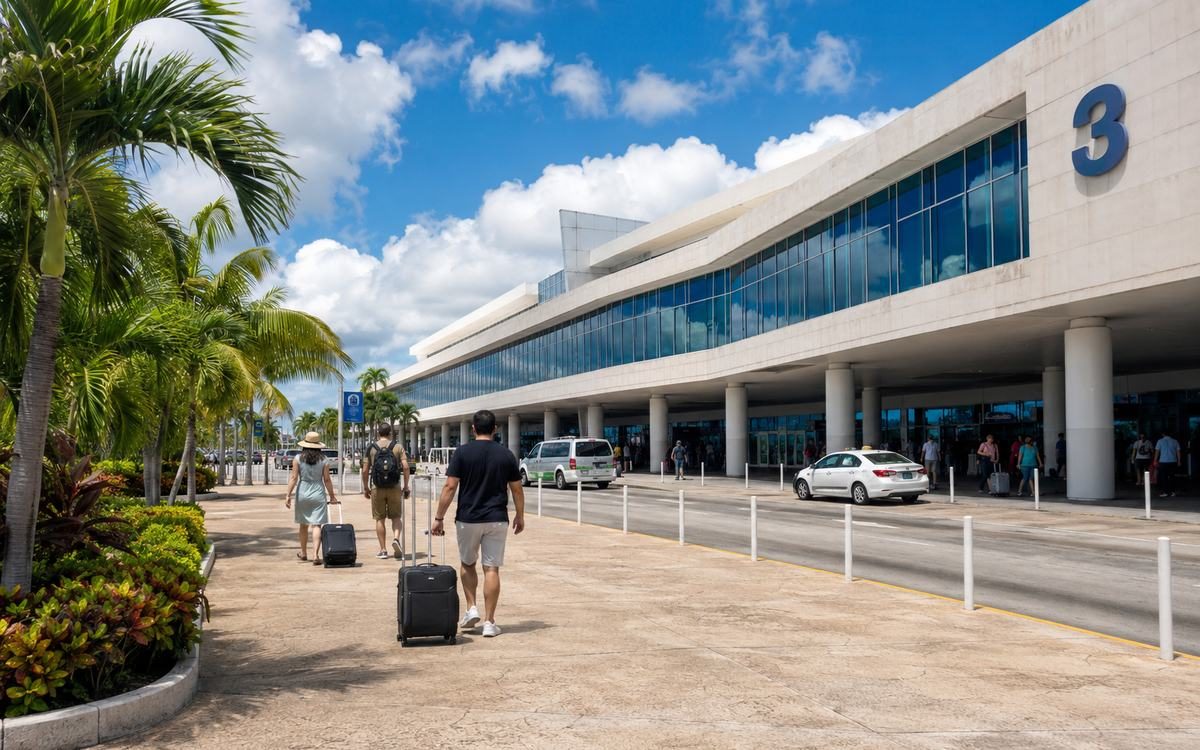
Why the correct terminal matters
The terminals are separate buildings rather than different halls inside one continuous terminal.
Being at the wrong terminal can affect:
- Check-in
- Baggage drop
- Security
- Boarding time
- Transportation pickup
- Driver meeting location
- Bus departure
- Rental-car instructions
Do not tell a driver only “Cancún Airport.” Send the terminal and flight number.
How to check your terminal
Use more than one source close to travel time:
- Check the airline app.
- Check the boarding pass.
- Search the flight in ASUR’s official tracker.
- Review airline notifications.
- Reconfirm with the transportation company.
For an arrival, use the terminal shown for the arriving flight.
For a departure, use the terminal shown by the operating airline—not only the company that sold the ticket.
Accidental Gringo recommendation: Recheck the terminal on the day of travel and again before leaving the hotel.
Terminal 2
Terminal 2 is an active scheduled-passenger terminal with airline, retail, food and ground-transportation services.
ASUR’s current transportation listing includes:
- ADO service
- Taxi service
- A car-rental listing in front of Terminal 2
The exact counter, platform and pickup area can change.
Terminal 2 should not be described as exclusively domestic or exclusively international. Flight assignments can vary.
Confirm before using Terminal 2
- Airline and flight number
- Check-in area
- Baggage carousel
- Transportation meeting point
- ADO platform
- Taxi purchase procedure
- Rental-car shuttle or desk
Terminal 3
Terminal 3 is an active scheduled-passenger terminal with its own arrivals, departures and ground-transportation areas.
ASUR currently lists:
- ADO service
- Taxi service
Travelers should follow terminal-specific meeting instructions because a representative waiting at Terminal 3 may not be able to collect a passenger at another terminal without coordination.
Confirm before using Terminal 3
- Arrival or departure level
- Correct exterior meeting zone
- Company sign or logo
- Bus platform
- Taxi service point
- Airline check-in area
Terminal 4
Terminal 4 is an active scheduled-passenger terminal and has its own arrivals, departures, retail and ground-transportation areas.
ASUR currently lists ADO service at Terminal 4.
ASUR’s transportation page does not currently list taxi service under Terminal 4 in the same way it lists Terminals 2 and 3. That does not prove no taxi option exists; it means the exact current process requires verification before publication.
Confirm before using Terminal 4
- Airline and flight
- Arrival exit
- Prearranged transfer meeting point
- ADO platform
- Current taxi procedure
- Rental-car instructions
- App-based pickup directions when relevant
Terminal 1
Terminal 1 has had changing operational roles over time.
Do not build a current traveler plan around Terminal 1 unless the airline or ASUR specifically assigns the flight there.
Needs Review: Confirm Terminal 1’s present passenger operating status before publishing or updating this guide.
Moving between terminals
Do not assume you can simply walk from one terminal to another with luggage.
When you arrive at the wrong terminal:
- Ask airline or airport personnel for current transfer instructions
- Contact the transportation provider
- Allow extra time
- Do not leave the airport property with an unsolicited person offering an unofficial “terminal transfer”
- Keep the correct terminal name visible on your phone
Interterminal transportation procedures can change and should be verified with the airline or airport at the time of travel.
Connecting flights
Connection procedures depend on:
- Whether the trip is domestic or international
- Where the traveler first enters Mexico
- Whether bags are checked through
- Whether flights are on one ticket
- Whether a terminal change is required
- Airline instructions
Ask the operating airline:
- Where immigration occurs
- Whether bags must be collected
- Whether bags must be rechecked
- Which terminal the next flight uses
- How to move between terminals
- Recommended minimum connection time
Do not rely only on a map estimate for a terminal-changing connection.
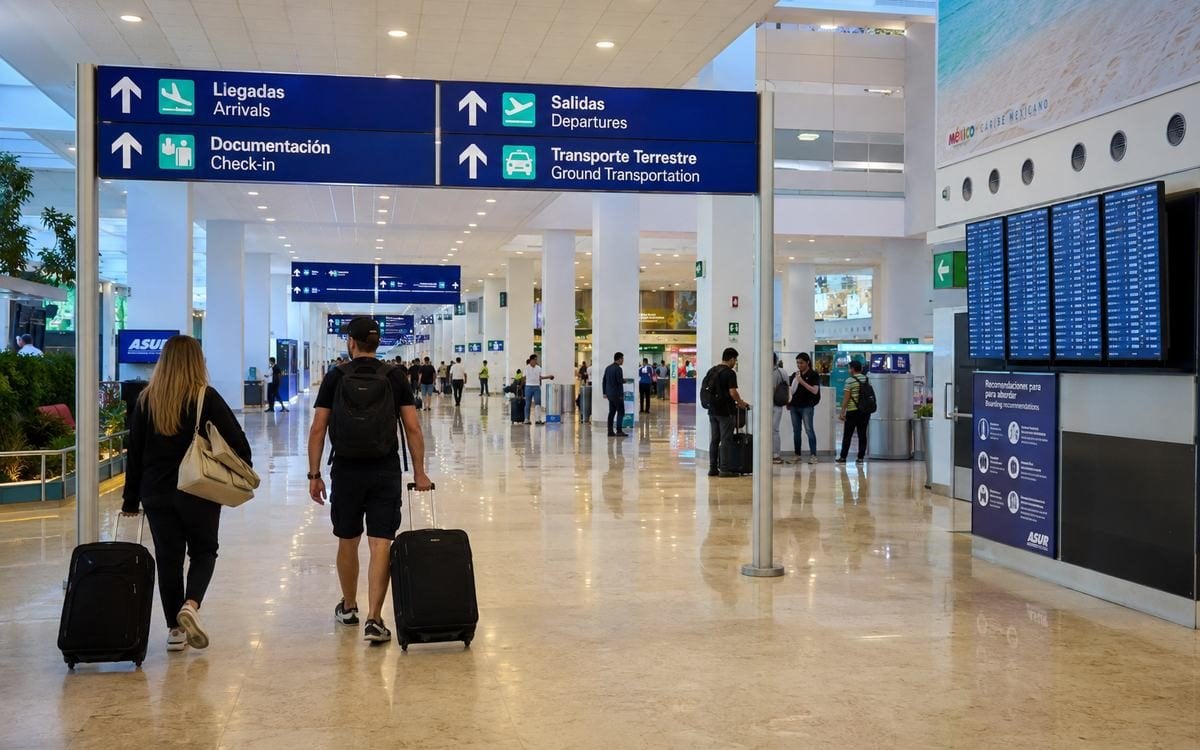
Transportation pickup by terminal
The transportation confirmation should specify:
- Terminal
- Exit or meeting zone
- Indoor counter or outdoor area
- Company logo
- Contact number
- Passenger name
- Delay procedure
Prearranged representatives commonly wait outside the secure arrivals area.
If the provider’s instructions and the airport signs appear inconsistent, contact the provider before walking to another terminal.
ADO bus service
ASUR currently lists ADO service at Terminals 2, 3 and 4.
The route, schedule and fare depend on:
- Departure terminal
- Destination
- Travel date
- Time
- Seat availability
Confirm the exact airport terminal when purchasing a ticket.
A bus may stop at more than one airport terminal before leaving the airport, so the total trip can include terminal circulation.
Taxi service
ASUR’s current ground-transportation page lists taxi service at Terminals 2 and 3.
Travelers should use a clearly identified service point and confirm:
- Destination
- Fare
- Currency
- Vehicle size
- Receipt
- Driver meeting location
Terminal 4 procedures are marked Needs Review in this guide.
Rental cars
A rental company may use:
- An in-terminal desk
- A counter near a terminal
- A shuttle to an off-airport facility
- Different pickup instructions for different terminals
Confirm the actual company name and terminal procedure before leaving baggage claim.
App-based pickup
App-based airport rules and pickup points can change.
When the app currently permits a request:
- Select the correct terminal
- Follow the live pickup point
- Verify the driver and license plate
- Do not walk to another terminal unless the app or provider gives clear instructions
- Keep a backup transportation option
Departure planning
Before leaving the hotel:
- Check flight status
- Check terminal
- Tell the driver the operating airline and flight
- Allow time for traffic
- Keep passports and travel documents accessible
- Confirm baggage rules
- Review airline check-in deadlines
A driver cannot choose the correct terminal based only on the destination city.
Arrival planning
Before the flight lands:
- Send the flight number to the provider
- Save the terminal
- Screenshot the meeting point
- Keep the provider contact number offline
- Tell other travelers in the group where to regroup
Google Maps
Open Cancún International Airport in Google Maps
A general airport pin does not distinguish among Terminals 2, 3 and 4. Use the terminal named in the flight and transportation information.
Three common mistakes
Mistake 1: Using an old terminal assignment
A terminal from a previous trip may not apply to the current flight.
Mistake 2: Telling the driver only “Cancún Airport”
Provide the terminal, airline and flight number.
Mistake 3: Assuming a terminal change is a quick walk
Ask for current transfer instructions and allow extra time.
Frequently asked questions
Which terminal does my airline use?
Check the exact flight in the airline app, boarding pass and ASUR flight tracker. Avoid relying on a permanent airline-terminal list.
Does ADO serve every active passenger terminal?
ASUR currently lists ADO at Terminals 2, 3 and 4. Confirm the exact platform and schedule for the travel date.
Can I walk between terminals?
Do not assume the terminals are conveniently walkable with luggage. Ask airport or airline personnel for the current transfer procedure.
Related Accidental Gringo guides
- Cancún Airport Arrival Guide: What to Expect After Landing
- Cancún Airport Transportation Comparison
- Cancún Airport to the Hotel Zone
- Common Cancún Airport Arrival Mistakes
- Cancún Immigration, Customs and Baggage Guide
Verification notes
Last reviewed: July 14, 2026
Verified facts
- ASUR provides a flight tracker that includes terminal information.
- Terminals 2, 3 and 4 have scheduled-passenger and commercial activity.
- ASUR lists ADO at Terminals 2, 3 and 4.
- ASUR’s current transportation page lists taxi service at Terminals 2 and 3.
- Terminal 4 has active commercial services listed by ASUR.
Recommendations
- Check the exact flight rather than relying on a permanent airline list.
- Give transportation providers the terminal and flight number.
- Allow extra time for a terminal change.
Needs Review
- Current Terminal 1 passenger operating status
- Current interterminal transfer procedure
- Current taxi procedure at Terminal 4
- Temporary terminal or construction changes
- App-based pickup rules by terminal
Official sources
- ASUR flight tracker: https://www.asur.com.mx/busca-tu-vuelo-0
- ASUR ground transportation: https://www.asur.com.mx/contenido/cancun/transporte-terrestre/traslados
- ASUR Terminal 2 map: https://www.asur.com.mx/cancun-terminal-2
- ASUR Terminal 3 map: https://www.asur.com.mx/cancun-terminal-6
- ASUR Terminal 4 map: https://www.asur.com.mx/cancun-terminal-4